Explained: 3D Glasses for Home Theatre Applications

July 31, 2018
3D Glasses for Home Theatre Applications
Published on  Updated on  

Remember the excitement of watching your first 3D movie? The content popped out into a new surreal dimension creating never experienced before. Earlier, 3D movies could only be enjoyed in a cinema and very few movies were produced. As things progressed, the demand skyrocketed and today we have a plethora of 3D content available with new titles being launched at regular intervals.


This rise in demand led to the integration of 3D technologies in TVs, projectors and gaming consoles for consumer applications. To enjoy 3D content at home, you need a compatible projector/TV/display, media player, optimized video content and special 3D glasses. When considering a purchase of a 3D TV or Projector, people often neglect to research what type of 3D technology their prospective purchase uses.


At Ooberpad, we thought it would be a good idea to break-down the two popular typed 3D glasses technologies available. Here, we give you a run-down on what each technology is called and what they do to produce a 3D image.

How does 3D in home theatres work?

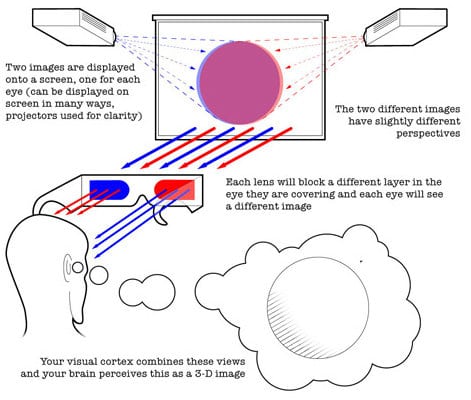
Before we go ahead, it is a good idea to understand how 3D viewing in achieved in home theatres. 3D TVs and Video Projectors work by accepting an incoming 3D signal that is encoded by the content provider. This can be sent in several different ways. The TV or projector has an internal decoder that can translate the type of 3D encoding used. It displays the left and right eye information on the TV or projection screen in such a way that it appears to look like two overlapping images that look slightly out of focus.
How does 3D in home theatres work?


One image is intended to be seen only by the left eye, while the other image is intended to only be seen by the right eye. In order to view this image properly, the viewer must wear glasses that are specially designed to receive the separate images and pass them properly to the left and right eye. 3D glasses work by providing a separate image to each eye. The brain combines the two overlapping images into a single image, which appears to be in 3D.

Types of 3D Glasses

There are two popular types of 3D glasses – Passive Polarized & Active Shutter. Both achieve their 3D visuals in a different way. Here we look at each type and also explain the pros and cons of each technology.

Passive Polarized Glasses
Passive Polarized Glasses

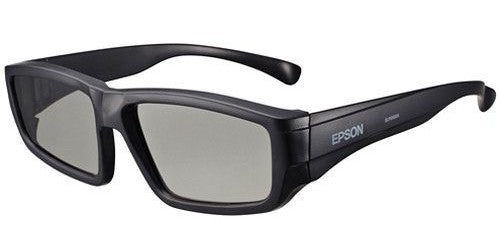
These glasses look and wear much like sunglasses and require no additional power to work. They usually have enough front space to place over existing eyeglasses for those that need to. These type of glasses are inexpensive to manufacture and are priced depending on the frame style such rigid vs flexible, plastic vs metal and so on.


Pros of Passive Polarized 3D Glasses Cons of Passive Polarized 3D Glasses
  • They are lightweight and can be worn for longer duration without causing fatigue.
  • They inexpensive and usually about one third the price of Active Shutter glasses.
  • There no flickering which means less discomfort and eye fatigue over long view durations.
  • The 3D image that is viewed is one-half the resolution of a 2D image displayed on the same television. This is because both the left and right eye images are displayed on the screen at the same time.
  • The presence of horizontal lines on the screen and some artefacts on the edges of objects may be noticeable mostly with text and straight line geometric shapes.
  • Poor depth in 3D viewing in comparison to active shutter glasses.

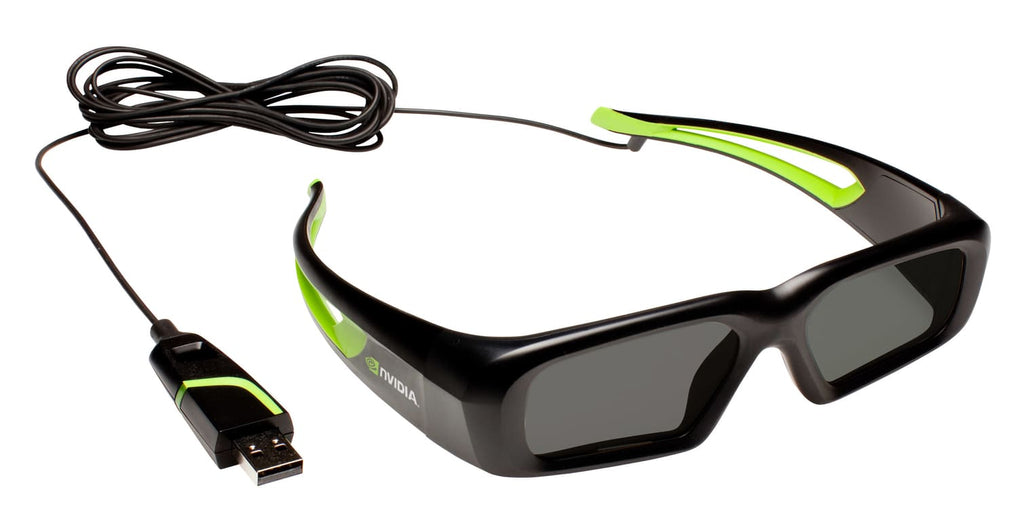
Active Shutter Glasses

Active Shutter Glasses

These glasses are slightly bulkier than passive glasses since they have batteries. Some use watch batteries while others provide built-in rechargeable batteries. It also has an on/off button and a transmitter that syncs the rapidly moving shutters for each eye with the onscreen display rate. These type of glasses are also more expensive than passive polarized glasses. The price is higher as it a better technology with added active electronic components.
Active Shutter Glasses

Pros of Active Shutter 3D Glasses Cons of Active Shutter 3D Glasses:
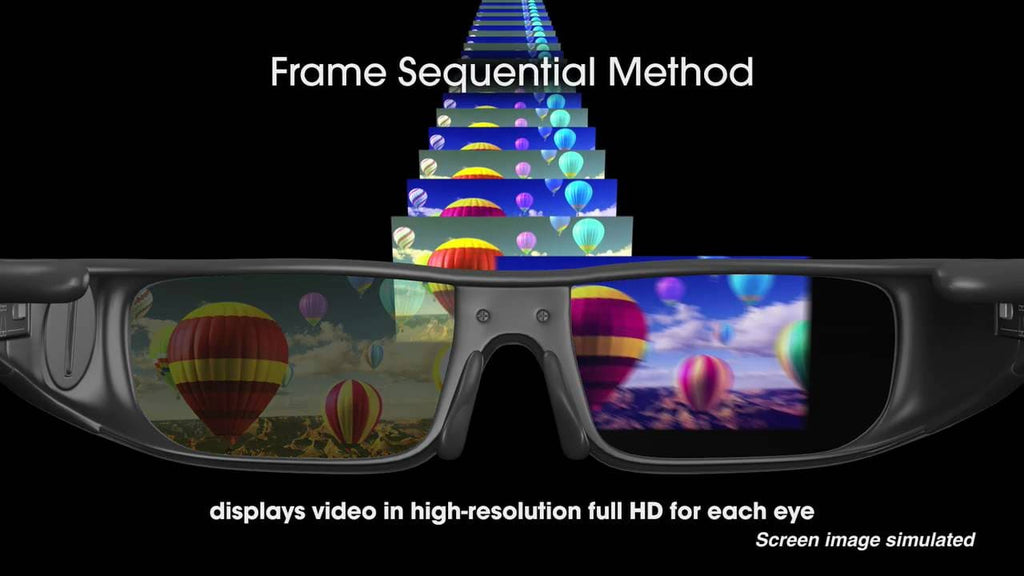
  • The 3D image resolution is the same as the 2D image displayed on the same television. This is because the left and right eye images are displayed in a sequential fashion and are in sync with TV or the projector’s screen refresh rate and the opening and closing of the LCD shutters in the glasses.
  • It displays more detail to each eye. The alternating-frame technology means a full 1080p image is shown to each eye, rather than the half frame.
  • The viewing experience is closer to the one experienced in cinema halls and movie theatres.
  • Flickering due to rapid opening and closing of the LCD shutters may be detectable by some viewers, causing discomfort.
  • Heavier and bulkier than passive glasses.
  • It is expensive usually two or three times the price of Passive Polarized 3D glasses.
  • Batteries are required which adds to the weight and operating cost.

Depending on which brand and model TV or video projector you buy, will determine which type of glasses (passive polarized or active shutter) you will be required for use with that TV or video projector. For example, LG 3D-enabled require Passive Glasses, while some Sony TVs required Active Shutter glasses, and some require Passive. All consumer-based video projectors (either LCD or DLP) require the use of Active Shutter glasses. In a nutshell, passive 3D offers better price, weight, size and anti-flickering, but active 3D is still the go-to for outright image quality details.


If you’re looking to buy a projector in India, Ooberpad has a curated collection of high-quality projectors for home theatres, offices, educational institutions at the best price online. Browse our collection below.


Published on  Updated on  

Frequently Asked Questions

Q. What Types of 3D Glasses Are Available for Home Theatre?

A.

There are two main types of 3D glasses available for home theatre systems:

  • Active Shutter Glasses: These glasses feature battery-powered lenses that rapidly open and close in sync with the TV or projector’s display, providing a 3D experience with high-quality visuals.

Passive (Polarized) 3D Glasses: These glasses use polarized filters to allow each eye to see a different image, commonly used with polarized 3D TVs or projectors in cinemas or home theatres.

Q. How do 3D glasses work with home theatre systems?

A.

3D glasses function by synchronizing with the 3D technology of your TV or projector. Depending on the type of 3D glasses—active or passive—the glasses either shutter between the left and right eye (active) or rely on polarized lenses (passive) to create the 3D effect. This allows each eye to see a slightly different image, resulting in a stereoscopic view.

Q. What is the difference between active and passive 3D glasses?

A.

Active 3D glasses are powered by batteries and use shutter technology to alternately block each eye from viewing the screen, creating the 3D effect. Passive 3D glasses, on the other hand, use polarized lenses to filter the images sent to each eye. Passive glasses are lighter and less expensive, but active glasses generally offer better image quality, especially in terms of resolution and brightness.

Q. How do I choose the right 3D glasses for my home theatre setup?

A.

When choosing 3D glasses, consider the following:

  • Compatibility: Ensure the glasses match your TV’s 3D technology (active vs. passive).
  • Comfort: Look for adjustable, lightweight glasses, especially for extended viewing.
  • Brand Compatibility: Some TV manufacturers provide specific 3D glasses that work best with their models, so check for compatibility.

Price and Quality: While budget options are available, higher-end glasses may offer better image quality and durability.

Q. Are 3D glasses for home theatre applications compatible with VR?

A.

While some 3D glasses may be compatible with virtual reality (VR) headsets, most 3D glasses for home theatre applications are designed specifically for flat-panel TVs or projectors. VR headsets usually require specialized glasses or no glasses at all, as the technology integrates directly with the headset’s display.

Leave a comment

Please note, comments need to be approved before they are published.